

Are you gearing up for college and need to choose the perfect laptop and tech to support your academic journey? Look no further! In this article, we will help you navigate the world of student devices and digital tools, ensuring you make the best decisions for your college needs.
With the right laptop and tech, you can enhance your productivity, stay organized, and excel in your studies. But how do you pick the perfect devices? Well, let’s dive in!
The Best Desktop Computers for College Students
When it comes to choosing the best desktop computers for college students, several options stand out. These desktop PCs offer powerful performance and features that are essential for academic success. Whether you need a versatile workstation or a gaming powerhouse, there is a desktop computer that caters to your specific needs.
Dell XPS Desktop 8960
One of the top picks for college students is the Dell XPS Desktop 8960. With its sleek design and impressive specifications, this desktop offers both flexibility and performance. Whether you need to work on complex projects or multitask efficiently, the Dell XPS Desktop 8960 delivers the power you need.
Lenovo Legion Tower 7i
If gaming is a priority, the Lenovo Legion Tower 7i is an excellent choice. This desktop computer is specifically designed to handle demanding games and provide an immersive gaming experience. With its powerful graphics card and high-performance components, the Lenovo Legion Tower 7i ensures smooth gameplay and stunning visuals.
Apple iMac 24-inch
For college students who prefer Apple products, the Apple iMac 24-inch is a top contender. This all-in-one desktop combines a beautiful display, powerful performance, and macOS, offering a seamless user experience. Whether you’re editing videos, designing graphics, or writing code, the Apple iMac 24-inch is a reliable companion.

Apple Mac Mini M2
If you’re looking for a compact and versatile desktop computer, the Apple Mac Mini M2 is worth considering. Despite its small size, this desktop packs a punch with its powerful M2 chip and impressive capabilities. Whether you need it for creativity or productivity, the Apple Mac Mini M2 delivers outstanding performance.
Lenovo Yoga AIO 9i
For those who prefer an all-in-one desktop with a touch of elegance, the Lenovo Yoga AIO 9i is an excellent choice. This sleek and stylish desktop offers a stunning display, powerful hardware, and versatile features. Whether you’re working on creative projects or enjoying multimedia content, the Lenovo Yoga AIO 9i delivers an immersive experience.
When it comes to desktop computers for college students, these options offer a wide range of features and capabilities. Whether you prioritize performance, gaming, or brand preference, there’s a desktop computer that meets your needs. Choose the one that aligns with your requirements and enhances your college experience.
Finding the Perfect Budget Laptop for College
If you’re on a budget, finding the perfect laptop for college can be challenging. But don’t worry, we’ve got you covered. When it comes to choosing a budget laptop, there are a few key factors you should consider to ensure you get the best value for your money.
First and foremost, look for a laptop with a decent spec sheet. This means finding a device that has the necessary processing power to handle your day-to-day tasks. Aim for a laptop with the latest generation CPU and at least 8GB of RAM. This will ensure smooth multitasking and efficient performance.
Storage capacity is another crucial aspect to consider. Opt for a laptop with a minimum of 256GB SSD. This will give you enough space to store your files, software, and educational materials without slowing down the system.
Design aspects are also important when it comes to budget laptops. Look for a laptop with good build quality, as it will be more durable and able to withstand the rigors of college life. Additionally, consider factors like screen resolution and keyboard size to ensure a comfortable and enjoyable user experience.
Lastly, check the port availability on the laptop. Make sure it has enough USB ports, HDMI port, and other necessary connections to meet your needs. This will ensure easy connectivity with external devices such as printers, projectors, and external hard drives.
By taking these factors into account, you’ll be able to find the perfect budget laptop for your college needs. Remember, a budget-friendly laptop doesn’t mean compromising on quality or performance. With the right specifications and design, you can get a laptop that meets your requirements without breaking the bank.

Key Considerations for Choosing a Budget Laptop
- Decent spec sheet with latest generation CPU and at least 8GB of RAM
- Minimum 256GB SSD storage capacity
- Good build quality and durability
- Screen resolution and keyboard size for optimal user experience
- Ample port availability for easy connectivity
Top Picks for Affordable Laptops
If you’re looking for affordable laptops that offer great value for money, look no further. We’ve compiled a list of our top picks that are budget-friendly without compromising on performance or features.

1. Apple MacBook Air Laptop with M1 Chip
The Apple MacBook Air Laptop with M1 Chip is our top pick for those seeking an affordable laptop with exceptional performance. Powered by Apple’s M1 chip, this laptop offers lightning-fast speed and impressive battery life. Whether you’re a student or a professional, the MacBook Air is a reliable choice that won’t break the bank.
2. HP Pavilion Aero 13
For Windows users, the HP Pavilion Aero 13 is a fantastic option. This lightweight laptop is designed for portability without compromising on power. With its sleek design, powerful performance, and long battery life, the Pavilion Aero 13 is perfect for productivity on the go.
3. Lenovo IdeaPad Flex 5i Chromebook
If you prefer Chrome OS, the Lenovo IdeaPad Flex 5i Chromebook is worth considering. This versatile and affordable laptop offers the best of both worlds – the convenience of a laptop and the flexibility of a convertible device. With its fast performance, responsive touch screen, and long battery life, the IdeaPad Flex 5i Chromebook is a great choice for students and professionals alike.
4. Acer Aspire 5 A515-56-347N Slim Laptop
The Acer Aspire 5 A515-56-347N Slim Laptop is a budget-friendly option that doesn’t compromise on quality. With its slim and lightweight design, powerful performance, and ample storage space, this laptop is perfect for everyday tasks, whether it’s attending online classes or working on projects. At under $500, the Acer Aspire 5 offers excellent value for money.
When it comes to affordable laptops, these top picks are hard to beat. Whether you’re a student, professional, or simply looking for a budget-friendly option, these laptops provide the perfect combination of performance, features, and affordability.
Refurbished Laptops: An Alternative Option
If you’re looking to save money, refurbished laptops can be a viable alternative. Buying refurbished laptops directly from reputable manufacturers like Apple, Dell, and Microsoft is a smart choice. These companies have official refurbishment processes in place, ensuring that the devices are in good condition and meet high-quality standards.
When you buy a refurbished laptop from Apple, Dell, or Microsoft, you can trust that the device has been thoroughly tested, repaired (if necessary), and restored to its original functionality. This means you can get a high-quality laptop at a more affordable price point while still enjoying the reliability and performance associated with these reputable brands.
However, it’s worth noting that third-party retailers like Amazon and Walmart also offer refurbished laptops. If you choose to buy from these retailers, it’s important to check their refurbishment programs and policies to ensure you’re getting a reliable device. While these retailers may not have the same level of control over the refurbishment process as the manufacturers themselves, they still provide options for purchasing refurbished laptops.
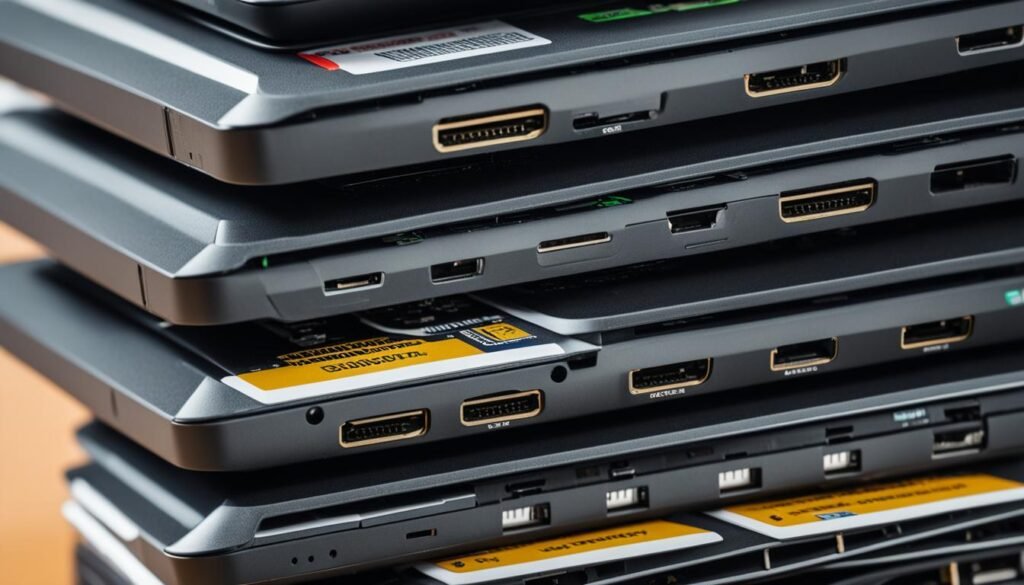
When buying a refurbished laptop, be sure to consider your specific needs and requirements. Look for laptops that have the specifications and features that align with your usage. Take advantage of the cost savings that come with buying refurbished, and use the extra budget to invest in other essential college supplies or accessories.
Overall, refurbished laptops from reputable manufacturers like Apple, Dell, and Microsoft, as well as third-party retailers like Amazon and Walmart, offer a cost-effective way to get a reliable and high-performance device for your college needs. Consider exploring the refurbished options available to you and make an informed decision that fits your budget and requirements.
The Best Laptops for Different Needs
If you have specific needs when it comes to choosing a laptop, it’s essential to find the best laptop that caters to your requirements. To help you make an informed decision, the third source has compiled a comprehensive list of the top laptops that excel in different areas.
Dell XPS 15 OLED – For Overall Performance
If you’re looking for a laptop that offers excellent overall performance, the Dell XPS 15 OLED is a standout choice. With its powerful specifications, stunning display, and premium build quality, it delivers exceptional performance for a wide range of tasks.
Asus Zenbook 13 OLED – For Value
For those who value affordability without compromising on performance, the Asus Zenbook 13 OLED is an ideal choice. It combines an impressive spec sheet with a sleek design, making it a perfect companion for productivity tasks and multimedia consumption.
Lenovo Chromebook Duet 3 – For Affordable Chromebook
If you prefer a budget-friendly Chromebook, the Lenovo Chromebook Duet 3 is worth considering. It offers a portable and compact design, long battery life, and the flexibility of Chrome OS, making it an excellent choice for students and casual users.
Framework Laptop – For DIYers
If you’re a tech enthusiast who likes to customize and upgrade your laptop, the Framework Laptop is the perfect fit. With its modular design and easily interchangeable components, you can personalize and upgrade your laptop to meet your evolving needs.
Asus ROG Zephyrus G14 – For Gaming
Gamers seeking a powerful gaming laptop should look no further than the Asus ROG Zephyrus G14. With its high-performance hardware, stunning display, and immersive gaming experience, it’s a top choice for avid gamers.
MacBook Pro 14-inch M3 – For Battery Life
If long battery life is your priority, the MacBook Pro 14-inch M3 is an excellent option. With its efficient power management and optimized hardware, you can enjoy extended productivity without worrying about running out of battery.
Acer Swift 5 – As a MacBook Air Alternative
For those who prefer Windows laptops with a MacBook Air-like design, the Acer Swift 5 is a great alternative. It offers a lightweight and sleek build, powerful performance, and a range of features that cater to your everyday computing needs.
Asus Zenbook 14 Flip OLED – For the Best 2-in-1
If you’re looking for a versatile 2-in-1 laptop that combines the functionality of a laptop and a tablet, the Asus Zenbook 14 Flip OLED is an excellent choice. With its flexible hinge, touchscreen display, and powerful performance, it offers the best of both worlds.
Samsung Galaxy Book 3 Ultra – As a MacBook Pro Alternative
If you’re considering an alternative to the MacBook Pro, the Samsung Galaxy Book 3 Ultra is a compelling option. With its slim and premium design, powerful hardware, and impressive display, it provides a seamless and efficient user experience.
MacBook Pro 16-inch M3 Max – For Powerful MacBook
Users in need of a powerful MacBook should look no further than the MacBook Pro 16-inch M3 Max. With its top-of-the-line specifications, large display, and robust performance, it caters to the needs of professionals and demanding users.
With these top laptops catering to different needs, you can find the perfect laptop that meets your specific requirements. Whether you prioritize performance, value, affordability, customization, gaming, battery life, or alternative options, there’s a laptop on this list that will suit your preferences. Take your time to explore each option, compare their specifications, and choose the best laptop that aligns with your needs and enhances your computing experience.
Conclusion
Choosing the right laptop and tech for your college needs is crucial to enhancing your academic success. By considering factors such as performance, design, budget, and your specific needs, you can make an informed decision that supports your educational journey.
With the wide range of choices available, it’s important to explore different options. Desktop computers can provide flexibility and performance, while budget laptops offer affordability without compromising on essential features. Refurbished devices are a viable alternative for those looking to save money while still getting reliable devices.
Remember, finding the perfect fit for your college needs means considering your individual requirements. Whether you prioritize power for demanding tasks, portability for on-the-go studying, or a seamless integration with other devices, there is a laptop and tech solution that is right for you.
Investing in the right laptop and tech will not only make your college experience more enjoyable but also enhance your academic success. By equipping yourself with the tools that meet your needs, you’ll be well-prepared to excel in your studies and achieve your goals.